
Calendar Task Widget
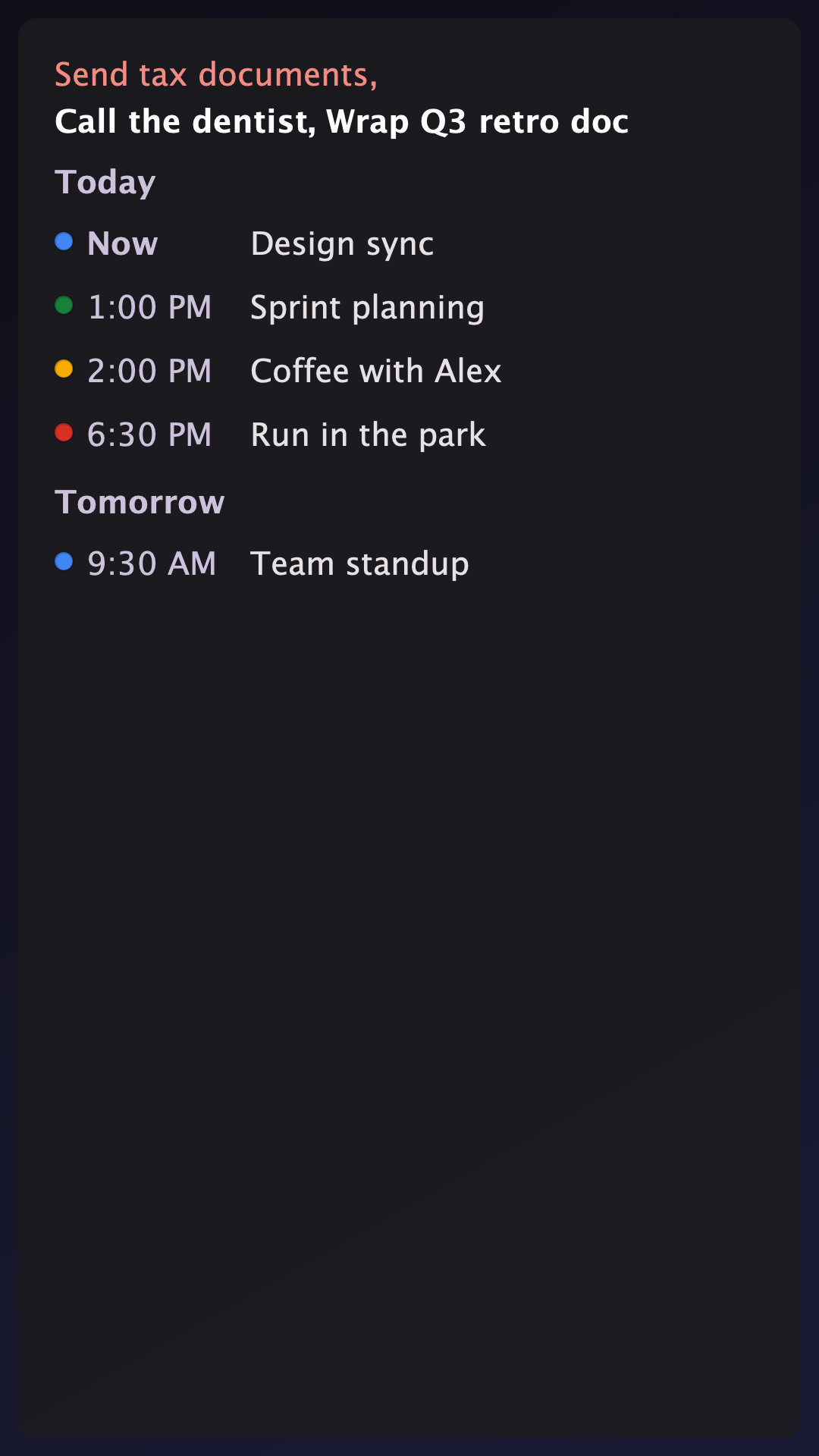
Tasks on top. Events below.
Overdue tasks and things due today from Google Tasks stay pinned right at the top. The next seven days of calendar events sit underneath, grouped by day.
Android 8.0+ · Read-only · No Novusy account needed
What it does
Overdue & Today First
Tasks that need attention sit at the top. As you finish them in Google Tasks, they clear out.
7-Day Agenda
Upcoming calendar events grouped day by day. Days with nothing scheduled stay hidden.
Direct Taps
Tap a task to open Google Tasks. Tap an event to open your calendar app. Tap the header to open settings.
Resize Freely
Drop it anywhere from 2×2 to 5×5. The content scrolls cleanly at any widget size.
Light & Dark Theme
Semi-transparent background that blends into your wallpaper and switches with your system mode.
Local & Offline
Syncs in the background and stores data locally. It always shows your schedule, even with no signal.
Read-only by design
Connects securely through standard Google Sign-In. You can add multiple Google accounts. Tasks from all of them merge into a single view. The widget only reads your schedule to display it, and never edits, deletes, or uploads your data anywhere.
Stop switching between apps.
Check what needs doing today and what's on this week, straight from your home screen.